

★ SPECIAL OFFER
Pro Launch Offer — Get Cure VPN Premium at Lowest Price  — Up to 72% Off
Get the offer →

Download Nano VPN

Get started in seconds. One account protects all your devices.
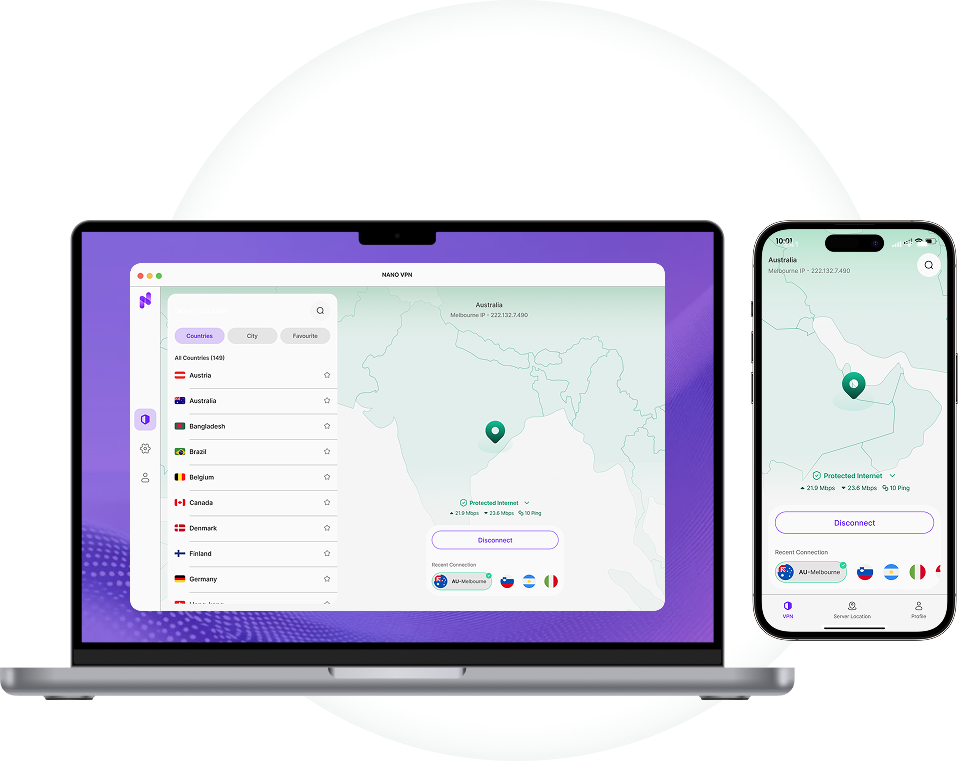
Download Nano VPN

How to Download and Set Up Your VPN

Get Your VPN Subscription
Step 01

Get Your VPN Subscription

Choose the plan that fits your needs and complete your subscription. Once your account is created, you'll have access to the VPN app for all supported devices.
Download the VPN App
Step 02

Download the VPN App

Download the VPN app from the official website or your device's app store. Install it, then sign in using the account details from your subscription.
Connect to Your Preferred Server
Step 03

Connect to Your Preferred Server

Open the app, select a server location, and tap Connect. You're now securely connected and ready to browse with privacy and freedom.

Frequently Asked Questions

What is a VPN and why do I need one?
A VPN (Virtual Private Network) encrypts your internet connection and masks your IP address, providing privacy, security, and freedom online. It's essential for protecting your data on public Wi-Fi, accessing geo-restricted content, and maintaining anonymity.
How many devices can I connect simultaneously?
All Nano VPN plans allow unlimited simultaneous connections, so you can protect all your devices with a single subscription.
Do you offer a money-back guarantee?
Yes! We offer a 30-day money-back guarantee. If you're not completely satisfied, we'll refund your purchase, no questions asked.
Does Nano VPN keep logs of my activity?
No. Nano VPN operates under a strict zero-logs policy. We never store, track, or share your browsing activity, connection timestamps, or IP addresses.
Which countries and servers does Nano VPN support?
Nano VPN gives you access to 5,000+ servers across 100+ countries, so you can connect to virtually any location on earth with fast, stable speeds.

Secure your connection
with 69% Off

  • 3500+ Ultra-Fast servers
  • Military-grade encryption with no log policy
  • All OS Supported app
Claim the Offer